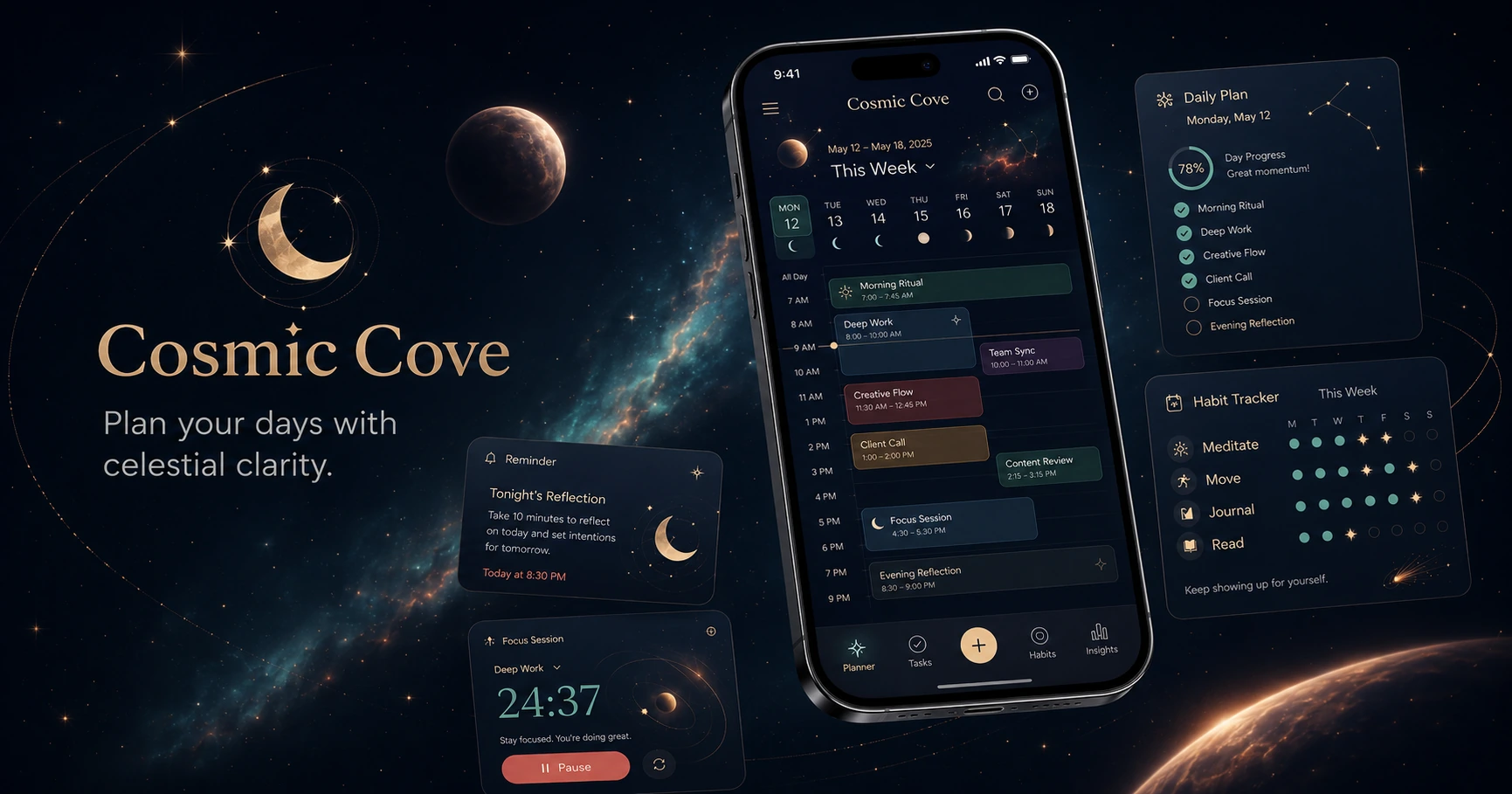
Celestial daily planning
Plan your day around focus, rhythm and a little starlight.
Cosmic Cove turns calendars, habits, reflection prompts and lunar cues into one calm mobile planner for people who want structure without losing the human side of their day.
Features
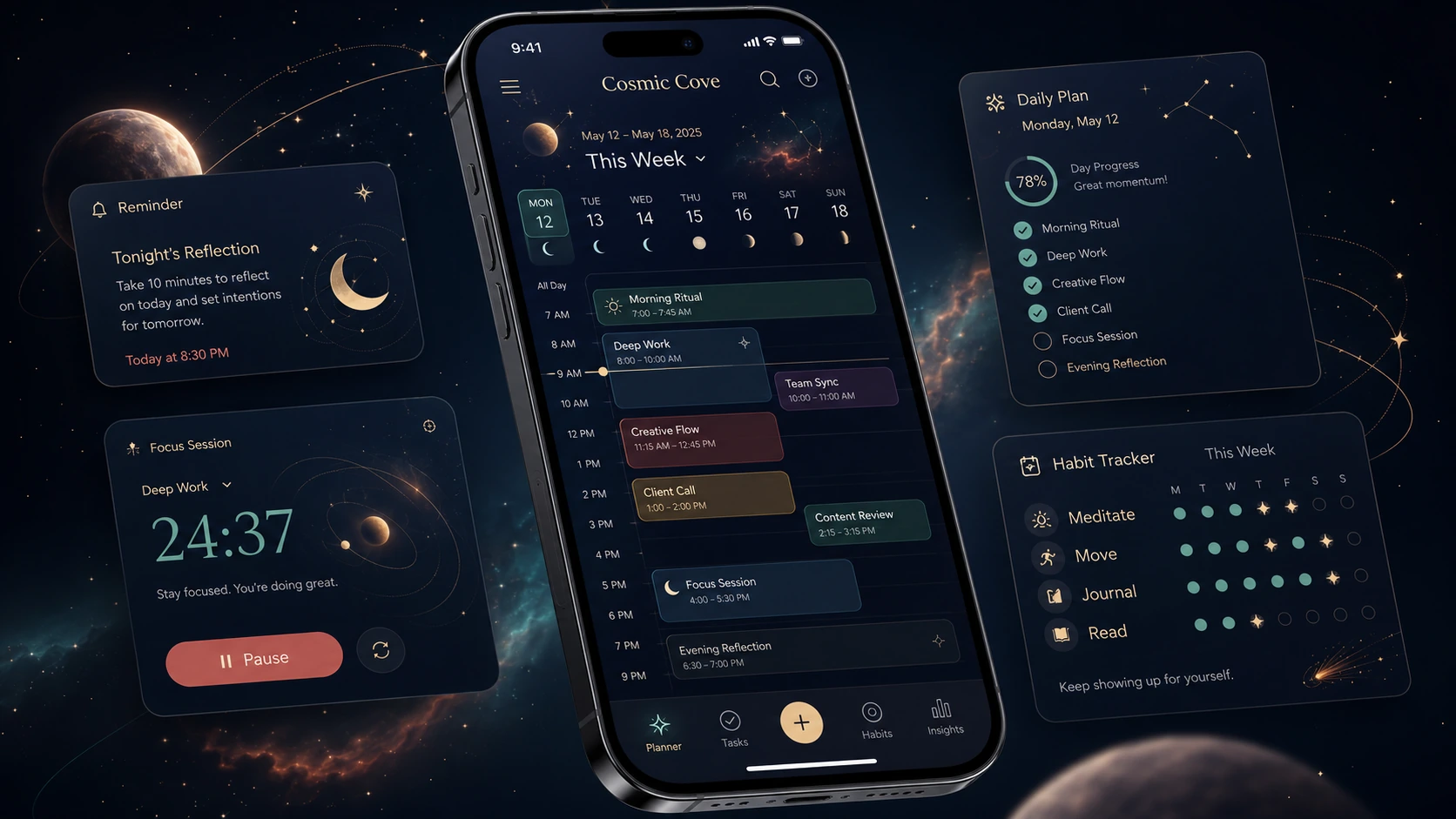
A planner that blends practical structure with personal rhythm.
The app keeps the core idea of cosmic planning: align tasks with lunar cues, set intentions, reflect regularly, track habits and plan flexibly when life changes.
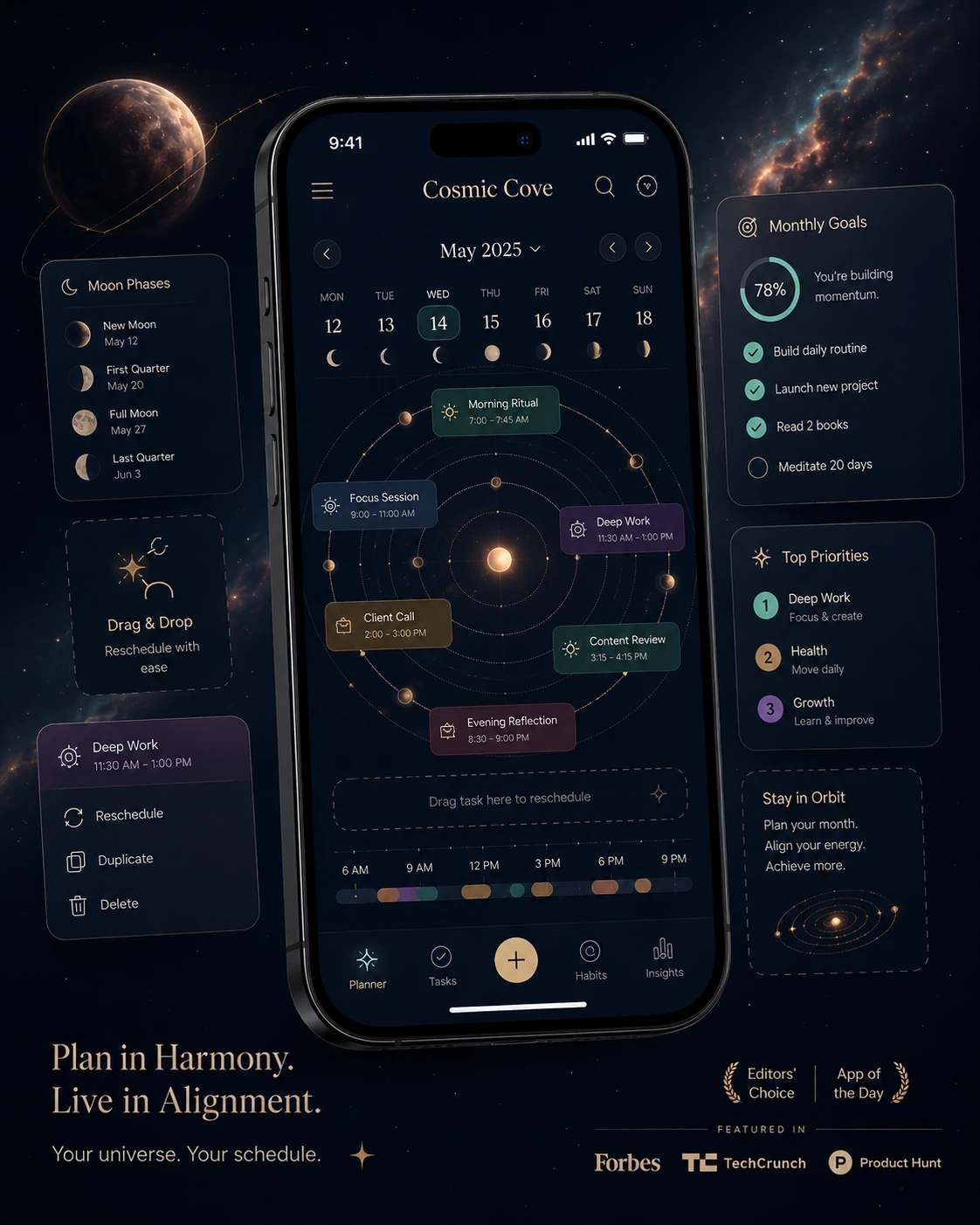
Orbit-based calendar
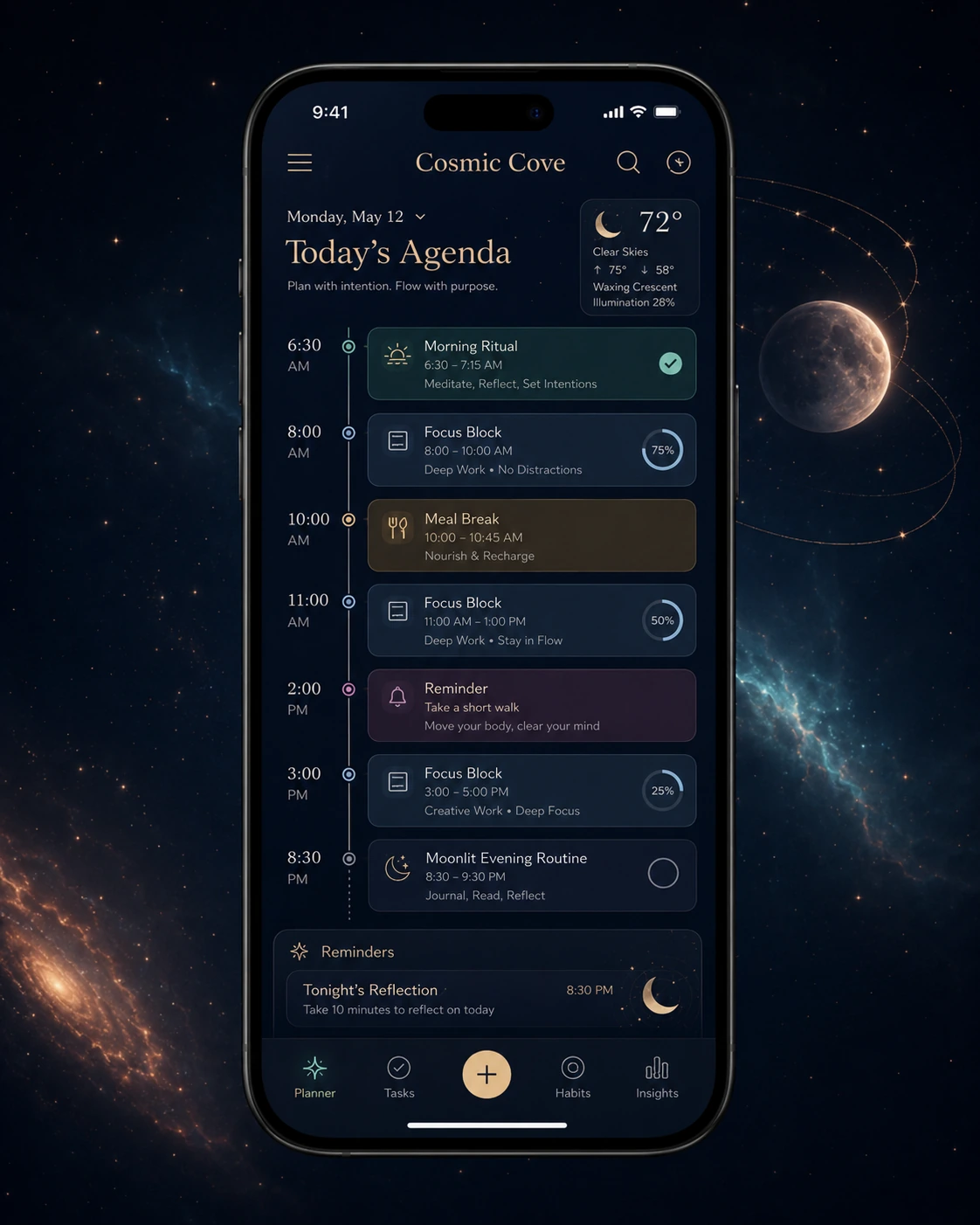
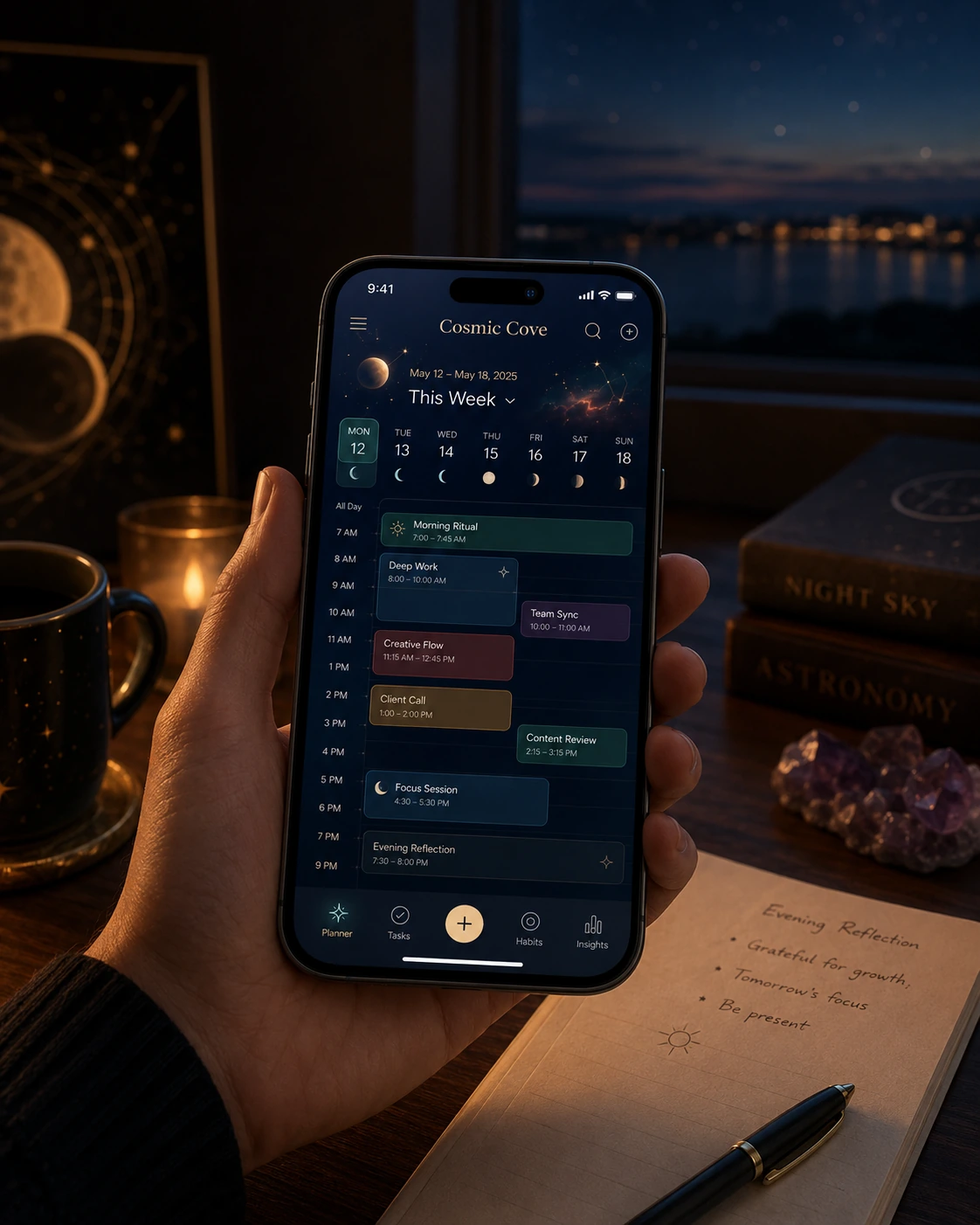
Move through your week with moon phases, time blocks and gentle reminders on one screen.
Intention setting
Start a week or lunar cycle by choosing what matters before the calendar fills up.
Focus sessions that feel calm
Use deep work timers, pause moments and reflective breaks without pressure-heavy productivity language.
Energy insights
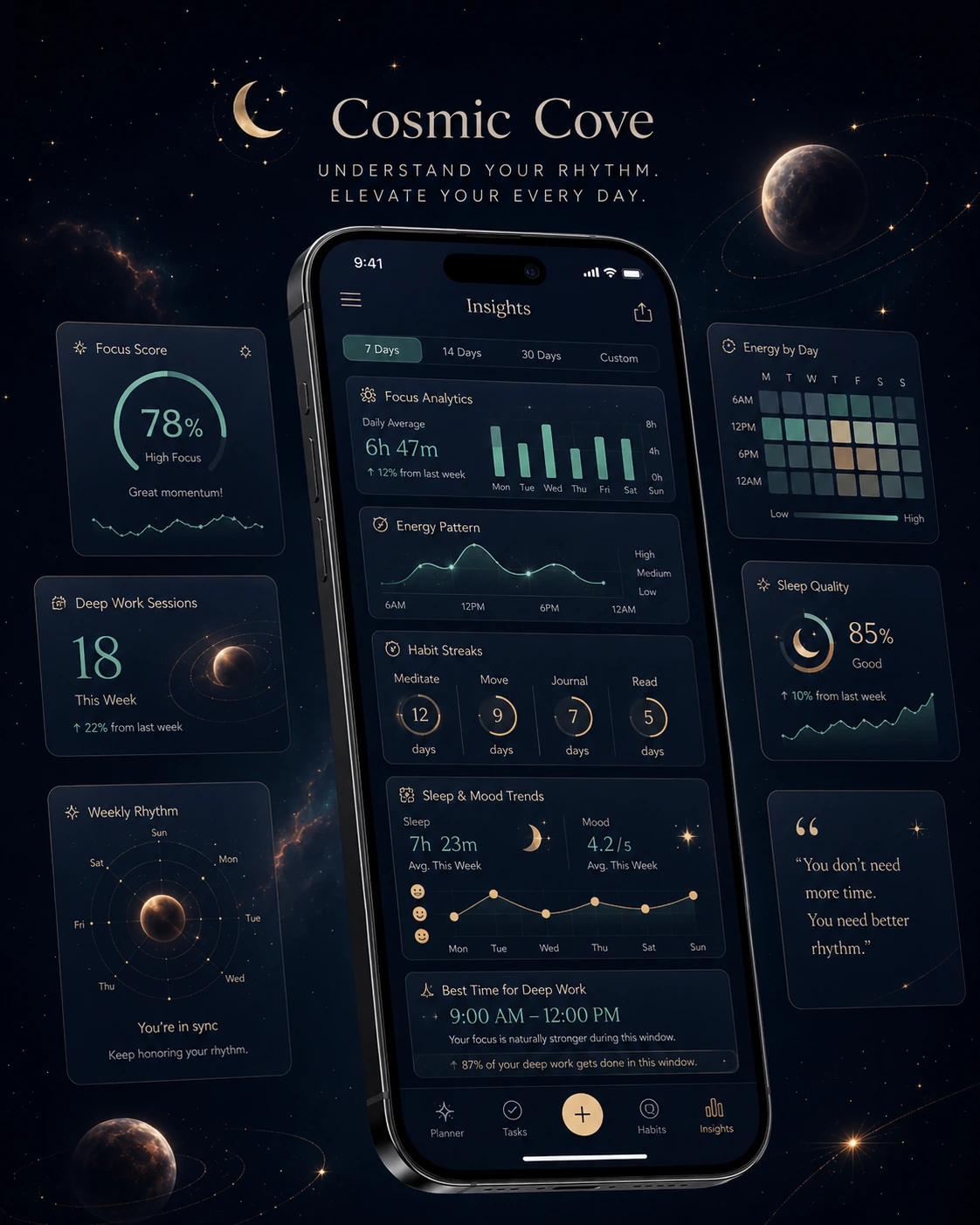
Track focus score, sleep quality and recurring patterns to plan better days over time.
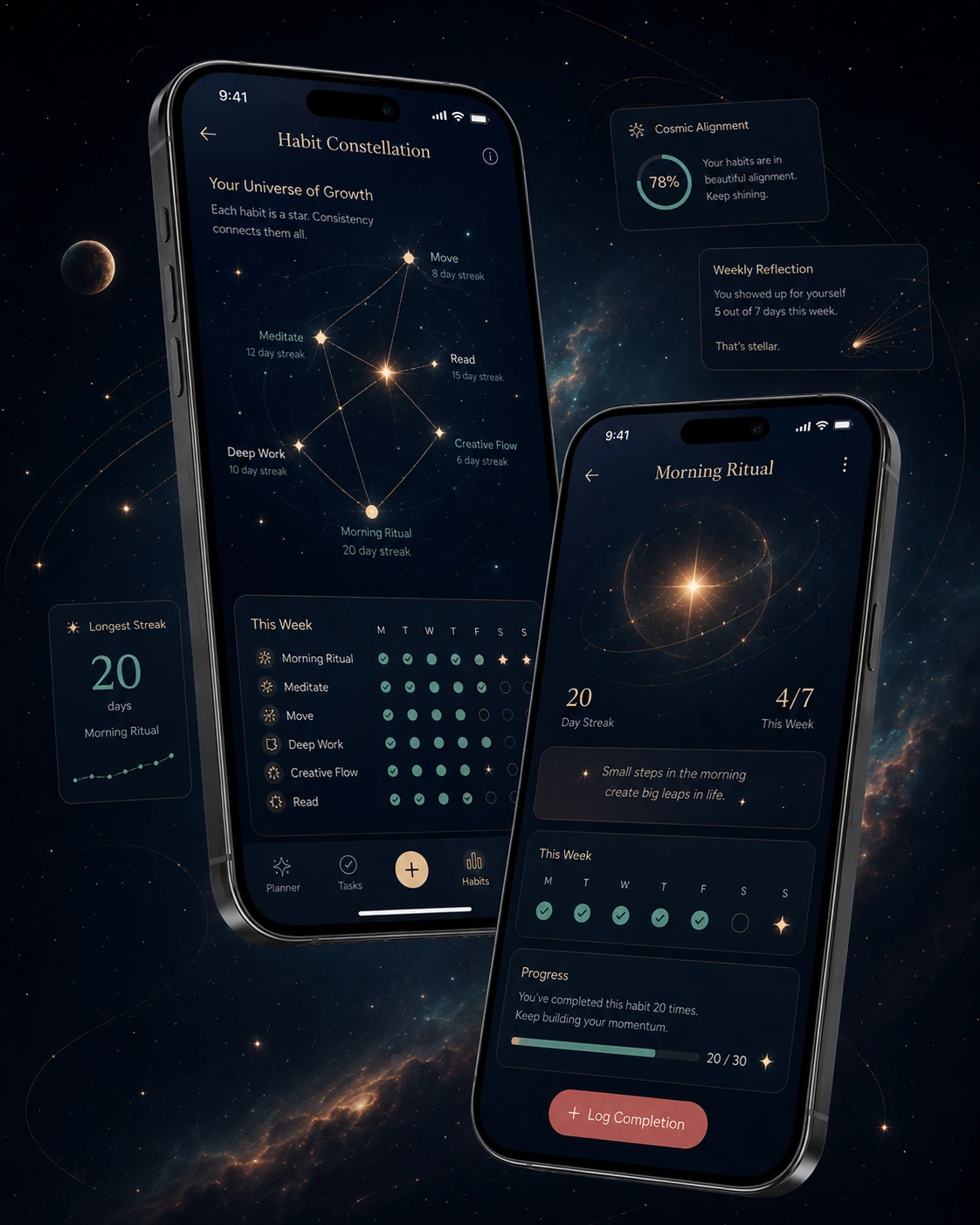
Habit constellations
Watch meditation, movement, reading and journaling routines connect visually as streaks grow.
Shared plans
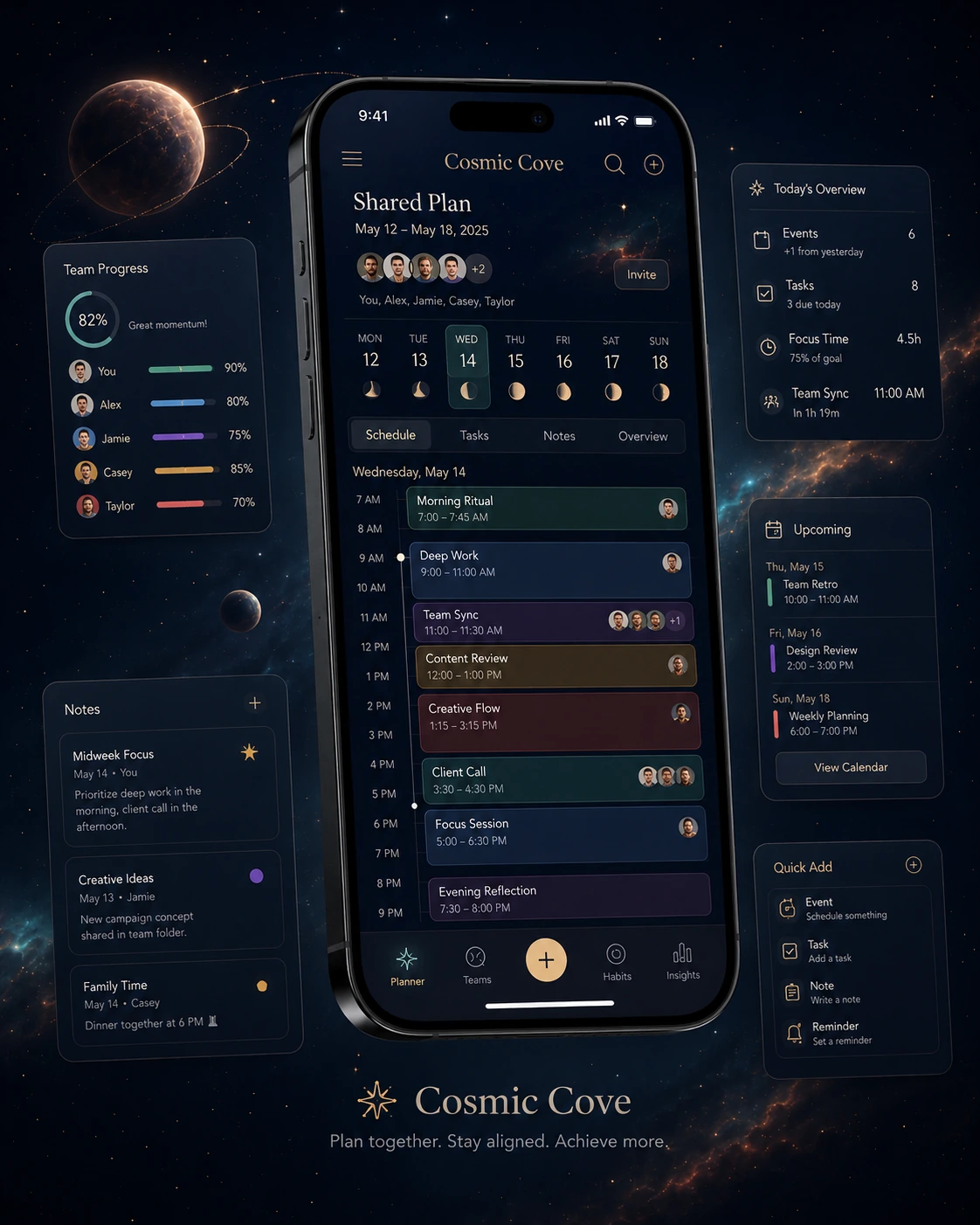
Coordinate team syncs, family notes or group goals while keeping your personal rhythm visible.
How it works
A softer planning loop for people who still need real structure.
Cosmic Cove helps you choose a direction, place the right blocks, check your energy and reflect before the next cycle starts.
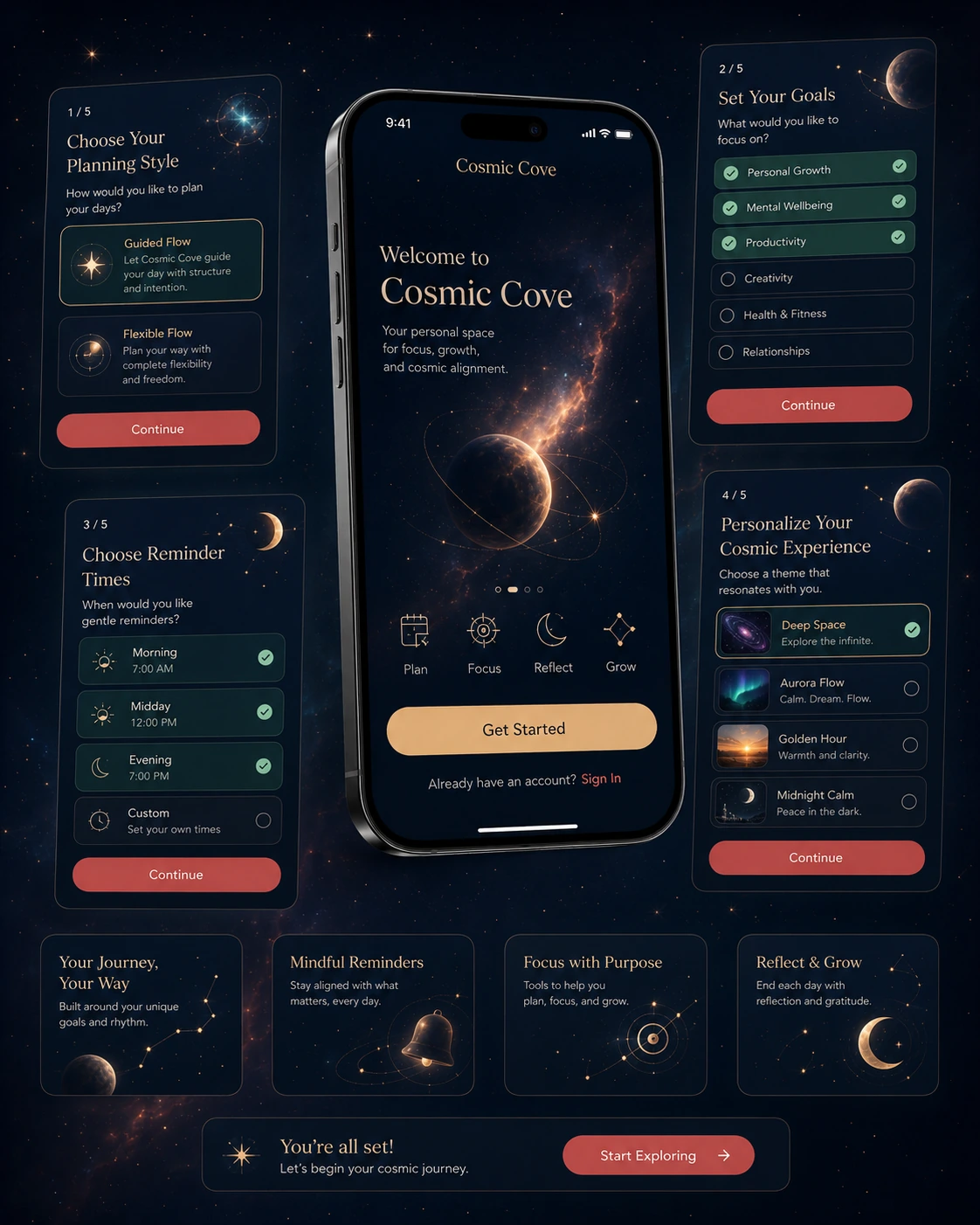
Choose your planning style
Pick guided or flexible planning depending on how much structure you want.
Set your goals
Define focus areas such as personal growth, wellbeing, productivity or creativity.
Place your rituals
Add morning routines, focus blocks, tasks and evening reflection to the calendar.
Review the rhythm
Use insights to notice when you work best, when to pause and what to adjust.
Screenshots
Real app views for planning, habits, insights and shared schedules.
Every screen is part of the same Cosmic Cove interface: dark celestial surfaces, gold accents, calm status cards and practical day planning.
User notes
People use it when ordinary planners feel too cold.
These realistic reviews reflect the app’s main promise: practical planning, gentle reflection, moon-phase awareness and a more personal way to organize the day.
“I like that it still works as a real calendar, but the lunar prompts make weekly planning feel more intentional.”
MoonRoute“The focus session screen is my favorite part. It feels calm instead of making me feel behind all day.”
HarborNova“Habit constellations are a small detail, but they made journaling and meditation feel rewarding without being noisy.”
StellaThread“I use the shared plan for team syncs and personal routines. It keeps work and wellbeing in the same rhythm.”
OrbitCasey
Download
Give your calendar a calmer orbit.
Use Cosmic Cove for weekly planning, focused sessions, habit streaks, lunar reflection and shared schedules that stay readable on busy days.